
Sift
Take back a LinkedIn worth your time.
Inspiration
LinkedIn is great at surfacing relevant jobs and content. But the experience? Ads everywhere, "Suggested" posts from strangers, reposted job listings, no way to tell if a role sponsors visas without clicking through. Your feed is half noise, and your job search is mostly triage.
Sift exists because the platform is good but the workflow is broken. It cleans up both sides of LinkedIn: your feed and your job search.
Feed Cleanup
Sift automatically hides ads, suggested posts, and recommended content from your LinkedIn feed. Mute and Unfollow buttons appear inline on every post. Search your keyword rules right from the popup.
- Hide Ads: removes Promoted posts automatically
- Hide Suggested & Recommended: filters non-connection noise
- Mute Keywords: add keywords via popup or right-click menu
- Inline Mute & Unfollow: buttons on every post — no hunting for the ... menu
- Search Rules: find keywords quickly in the popup
- Force Recent: switch to chronological sort automatically
- Hide Sidebar: remove LinkedIn News and footer clutter
- Shift+J: pause/resume all filters instantly
Job Search Intelligence
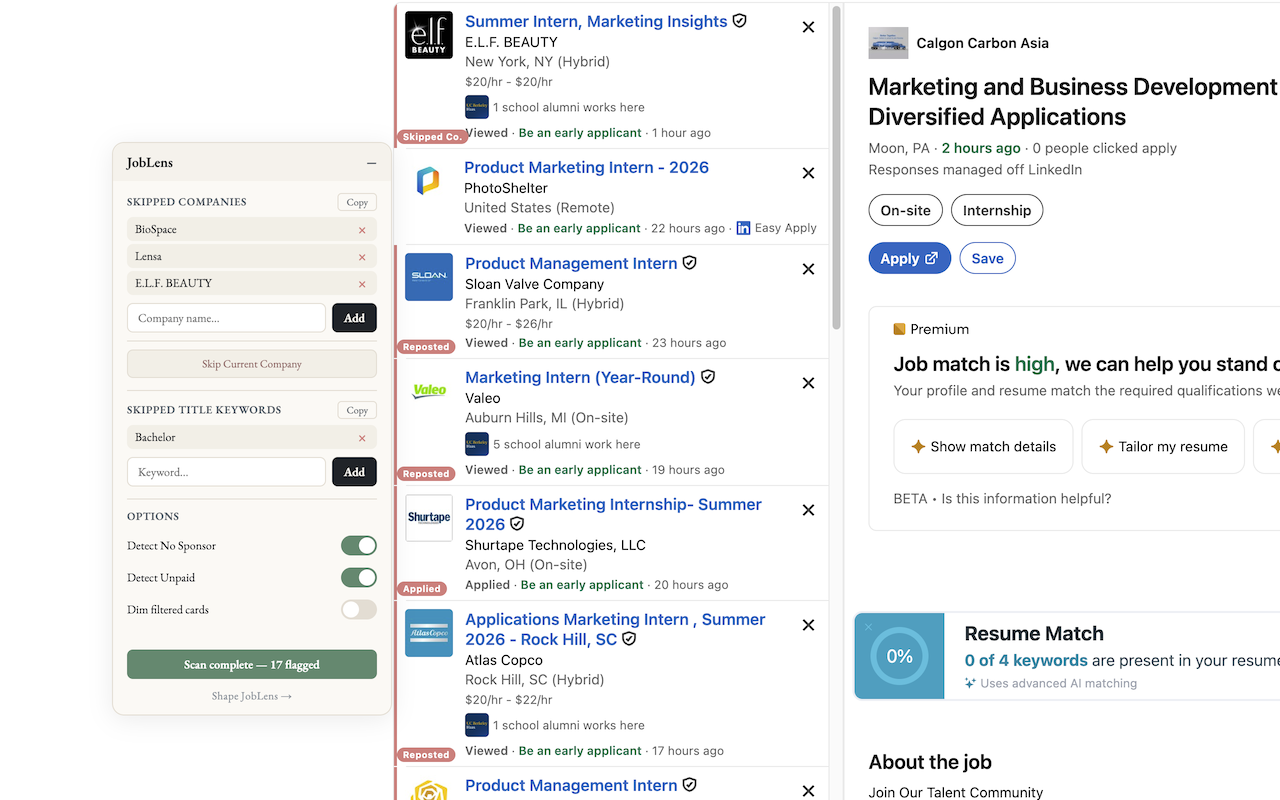
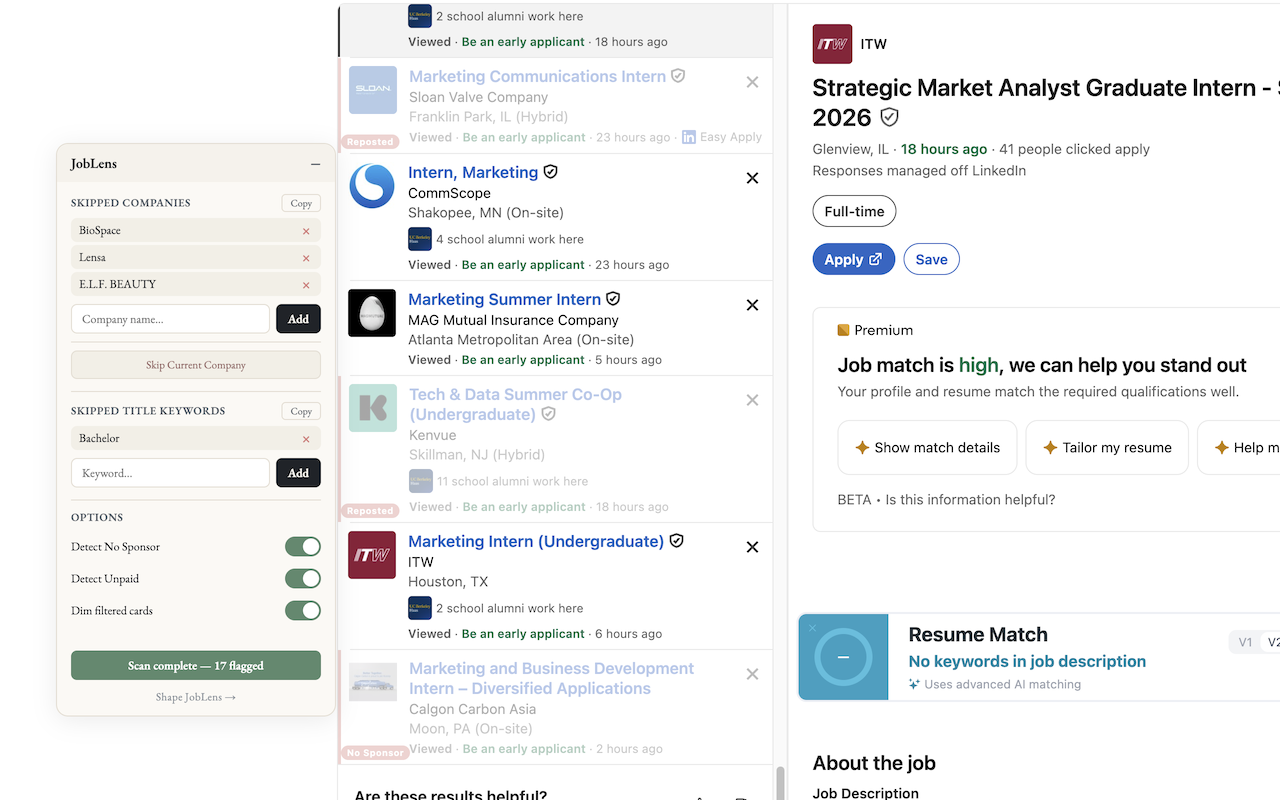
On LinkedIn's job search results page, Sift flags suspicious listings so you skip the ones not worth your time.
See It in Action
Get Started
- Install from the Chrome Web Store
- Visit LinkedIn — your feed is automatically cleaned up
- Go to Jobs → Search Results — cards are auto-flagged
- Click the Sift icon to manage keywords, view stats, and adjust settings
- Use inline Mute and Unfollow buttons on any post
How It Works
Reads page content directly in the browser. No external servers, no API calls. Everything runs locally. Your preferences are stored via Chrome's local storage.
Privacy
Sift runs entirely in your browser. No data is collected, transmitted, or stored externally. All preferences and stats stay on your device.
Full privacy policy →